目录
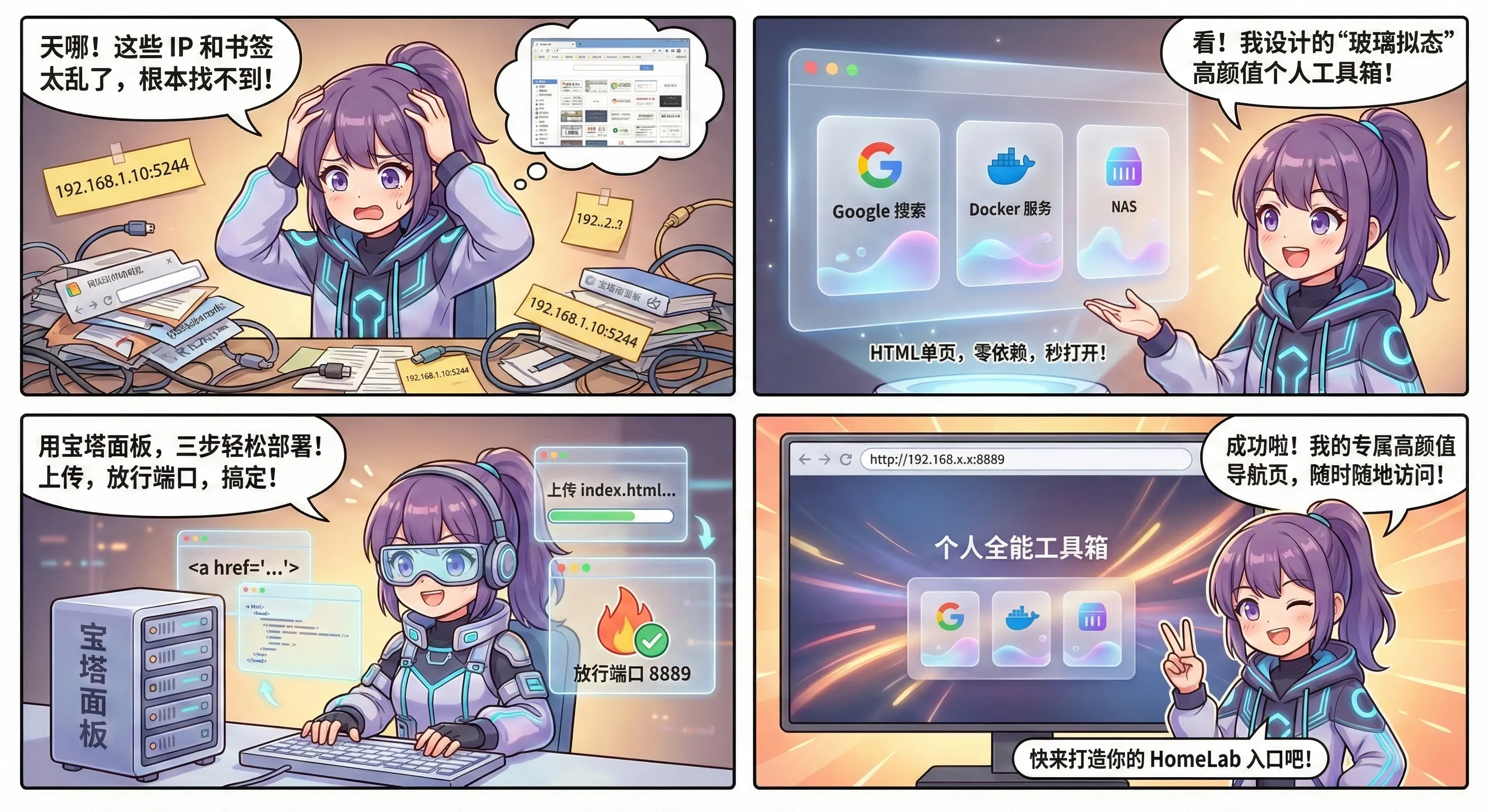
自建服务越来越多以后,收藏夹已经不够用了。这个工具箱导航页就是给 HomeLab 做一个总入口,把常用后台、下载、面板和小工具都收在一张页面里。
随着折腾的 Docker 容器和自建服务越来越多,每次都要去记 IP:端口 实在是太痛苦了。浏览器书签虽然能用,但总觉得不够优雅,也缺乏一种“仪表盘”的掌控感。
于是,我花时间整理了一份**“个人全能工具箱”导航页。它采用流行的玻璃拟态(Glassmorphism)**风格,动态流光背景,响应式设计,最重要的是——它是一个纯静态的 HTML 单页,不需要数据库,不需要复杂的后端,扔到服务器上就能跑!
今天就把源码分享出来,并教大家利用宝塔面板,分分钟搭建属于自己的高颜值导航站。
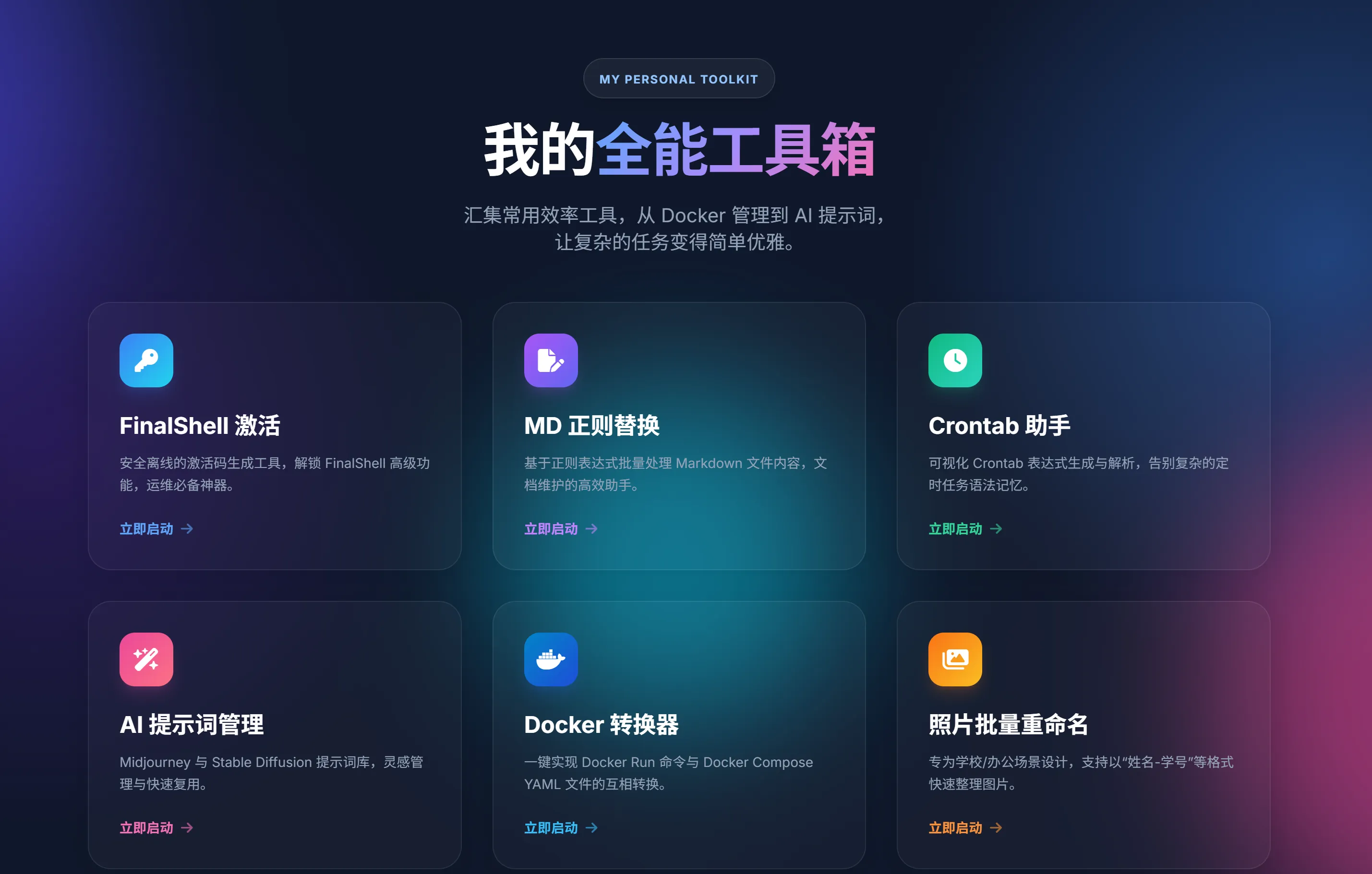
🧐 效果预览
在开始之前,先看看我们将要部署出来的效果:
- 视觉风格:深色模式 + 磨砂玻璃卡片,科技感十足。
- 动态交互:背景有流动的光斑动画,鼠标悬停卡片会有悬浮和光效反馈。
- 极简架构:基于 Tailwind CSS (CDN引入) 和 FontAwesome 图标库,代码轻量,修改简单。
🛠️ 准备工作
想要部署这个工具箱,你需要:
- 一台服务器/NAS/虚拟机:已经安装了 宝塔面板(或者 Nginx/Apache 环境)。
- 双手:不需要你精通代码,会复制粘贴即可。
🚀 核心代码(通用模板)
我已经把代码清洗好了,去掉了我个人的私有链接,并在关键位置加上了注释。你可以直接复制下面的代码,保存为 index.html。
html<!DOCTYPE html>
<html lang="zh-CN">
<head>
<meta charset="UTF-8">
<meta name="viewport" content="width=device-width, initial-scale=1.0">
<title>我的个人工具箱 | My Toolbox</title>
<script src="https://cdn.tailwindcss.com"></script>
<link href="https://cdnjs.cloudflare.com/ajax/libs/font-awesome/6.4.0/css/all.min.css" rel="stylesheet">
<link href="https://fonts.googleapis.com/css2?family=Inter:wght@300;400;600;700&family=Noto+Sans+SC:wght@300;400;500;700&display=swap" rel="stylesheet">
<style>
/* 核心样式定义 */
body { font-family: 'Inter', 'Noto Sans SC', sans-serif; background-color: #0f172a; overflow-x: hidden; }
/* 动态背景动画 */
.animated-bg { position: fixed; top: 0; left: 0; width: 100vw; height: 100vh; z-index: -1; background: radial-gradient(circle at 15% 50%, rgba(76, 29, 149, 0.4), transparent 25%), radial-gradient(circle at 85% 30%, rgba(59, 130, 246, 0.4), transparent 25%); background-color: #0f172a; animation: bg-pulse 10s ease-in-out infinite alternate; }
.blob { position: absolute; border-radius: 50%; filter: blur(80px); opacity: 0.6; animation: float 20s infinite; }
.blob-1 { top: -10%; left: -10%; width: 500px; height: 500px; background: #4f46e5; animation-delay: 0s; }
.blob-2 { bottom: -10%; right: -10%; width: 600px; height: 600px; background: #ec4899; animation-delay: -5s; }
.blob-3 { top: 40%; left: 40%; width: 400px; height: 400px; background: #06b6d4; animation-delay: -10s; }
@keyframes float { 0% { transform: translate(0, 0) scale(1); } 33% { transform: translate(30px, -50px) scale(1.1); } 66% { transform: translate(-20px, 20px) scale(0.9); } 100% { transform: translate(0, 0) scale(1); } }
/* 玻璃拟态卡片 */
.glass-card { background: rgba(255, 255, 255, 0.03); backdrop-filter: blur(16px); -webkit-backdrop-filter: blur(16px); border: 1px solid rgba(255, 255, 255, 0.08); box-shadow: 0 4px 30px rgba(0, 0, 0, 0.1); transition: all 0.4s cubic-bezier(0.4, 0, 0.2, 1); }
.glass-card:hover { background: rgba(255, 255, 255, 0.08); transform: translateY(-8px); border-color: rgba(255, 255, 255, 0.2); box-shadow: 0 20px 40px rgba(0, 0, 0, 0.4); }
.glass-card:hover .tool-icon { transform: scale(1.1) rotate(5deg); }
.glass-card:hover .arrow-icon { transform: translateX(5px); opacity: 1; }
/* 进场动画 */
.fade-in-up { animation: fadeInUp 0.8s cubic-bezier(0.16, 1, 0.3, 1) forwards; opacity: 0; transform: translateY(30px); }
@keyframes fadeInUp { to { opacity: 1; transform: translateY(0); } }
.text-gradient { background: linear-gradient(135deg, #60a5fa 0%, #a78bfa 50%, #f472b6 100%); -webkit-background-clip: text; -webkit-text-fill-color: transparent; background-clip: text; }
/* 滚动条美化 */
::-webkit-scrollbar { width: 8px; }
::-webkit-scrollbar-track { background: #0f172a; }
::-webkit-scrollbar-thumb { background: #334155; border-radius: 4px; }
</style>
</head>
<body class="min-h-screen text-slate-200 selection:bg-purple-500 selection:text-white">
<div class="animated-bg">
<div class="blob blob-1"></div>
<div class="blob blob-2"></div>
<div class="blob blob-3"></div>
</div>
<header class="relative z-10 pt-20 pb-12 text-center px-4">
<div class="fade-in-up" style="animation-delay: 0.1s;">
<div class="inline-block p-2 px-4 rounded-full bg-white/5 border border-white/10 backdrop-blur-md mb-6 shadow-lg">
<span class="text-xs font-bold tracking-widest uppercase text-blue-300">My Personal Toolkit</span>
</div>
<h1 class="text-5xl md:text-6xl font-extrabold mb-6 tracking-tight">
<span class="text-white">我的</span><span class="text-gradient">全能工具箱</span>
</h1>
<p class="text-lg md:text-xl text-slate-400 max-w-2xl mx-auto leading-relaxed">
汇集常用效率工具与 Docker 服务,<br class="hidden md:block" />让复杂的任务变得简单优雅。
</p>
</div>
</header>
<main class="relative z-10 max-w-7xl mx-auto px-6 pb-20">
<div class="grid grid-cols-1 md:grid-cols-2 lg:grid-cols-3 gap-6 md:gap-8">
<a href="https://www.google.com" target="_blank" class="glass-card rounded-3xl p-8 flex flex-col justify-between group fade-in-up" style="animation-delay: 0.2s;">
<div>
<div class="tool-icon w-14 h-14 rounded-2xl bg-gradient-to-br from-blue-500 to-cyan-400 flex items-center justify-center mb-6 shadow-lg shadow-blue-500/20 transition-transform duration-300">
<i class="fa-brands fa-google text-2xl text-white"></i>
</div>
<h2 class="text-2xl font-bold text-white mb-3 group-hover:text-blue-300 transition-colors">Google 搜索</h2>
<p class="text-slate-400 text-sm leading-relaxed mb-6">
遇到问题先问它。这是一个外部链接跳转的示例。
</p>
</div>
<div class="flex items-center text-sm font-semibold text-blue-400">
<span>立即启动</span>
<i class="fa-solid fa-arrow-right ml-2 arrow-icon opacity-60 transition-all duration-300"></i>
</div>
</a>
<a href="#" class="glass-card rounded-3xl p-8 flex flex-col justify-between group fade-in-up" style="animation-delay: 0.3s;">
<div>
<div class="tool-icon w-14 h-14 rounded-2xl bg-gradient-to-br from-purple-500 to-indigo-500 flex items-center justify-center mb-6 shadow-lg shadow-purple-500/20 transition-transform duration-300">
<i class="fa-solid fa-server text-2xl text-white"></i>
</div>
<h2 class="text-2xl font-bold text-white mb-3 group-hover:text-purple-300 transition-colors">我的 Docker</h2>
<p class="text-slate-400 text-sm leading-relaxed mb-6">
这里可以放你的 Portainer、Alist 或者其他本地服务链接。
</p>
</div>
<div class="flex items-center text-sm font-semibold text-purple-400">
<span>管理后台</span>
<i class="fa-solid fa-arrow-right ml-2 arrow-icon opacity-60 transition-all duration-300"></i>
</div>
</a>
<div class="glass-card rounded-3xl p-8 flex flex-col justify-center items-center border-2 border-dashed border-slate-600/50 bg-transparent hover:bg-slate-800/30 group fade-in-up" style="animation-delay: 0.4s;">
<div class="w-16 h-16 rounded-full bg-slate-800 flex items-center justify-center mb-4 group-hover:scale-110 transition-transform">
<i class="fa-solid fa-plus text-slate-400 text-2xl"></i>
</div>
<span class="text-slate-400 font-medium group-hover:text-slate-200 transition-colors">虚位以待...</span>
</div>
</div>
<footer class="mt-20 text-center text-slate-500 text-sm fade-in-up" style="animation-delay: 0.5s;">
<p>© 2025 个人全能工具箱 | Crafted by Me</p>
</footer>
</main>
</body>
</html>
💻 部署教程(宝塔面板版)
有了代码,我们只需要把它放到服务器上即可。这里以最通用的宝塔面板为例。
第一步:创建站点
- 登录宝塔面板,点击左侧菜单的 【网站】。
- 点击 【添加站点】。
- 在弹出的窗口中配置:
- 域名:如果你是内网使用,填写
127.0.0.1或者你的局域网IP(如192.168.x.x)。 - 端口:为了不占用 80 端口,建议自定义一个,比如
8889(填写格式为IP:8889)。 - 根目录:建议新建一个目录,例如
/www/wwwroot/default/my-toolbox。 - PHP版本:选择 “纯静态”,因为我们不需要后端处理。
第二步:上传文件
- 在站点列表中,点击刚才创建站点的 【根目录】 链接,进入文件管理界面。
- 将上面保存好的
index.html文件上传到该目录。 - (可选) 如果你有其他本地工具(比如一个计算器的小网页),可以在这里新建文件夹(如
calc),把工具文件放进去,然后在主页链接里写href="./calc/"即可。
第三步:放行端口(避坑指南)
很多小伙伴部署完发现打不开,99% 是因为防火墙没开。
- 宝塔侧:点击左侧 【安全】,在“系统防火墙”里添加规则,放行端口
8889,协议选 TCP。 - 云厂商侧(如果你用的是阿里云、腾讯云等):一定要去控制台的 “安全组” 页面,同样放行
8889端口。
🎨 如何自定义修改?
这个模板最棒的地方就是修改非常直观:
1. 修改链接和标题
找到 <a href="..." ...> 这一块代码:
href="链接地址":改成你的 Docker 服务地址(如http://192.168.1.10:5244)或外网地址。<h2>...</h2>:修改工具显示的名称。<p>...</p>:修改下方的简介文字。
2. 修改图标
模板使用了 FontAwesome 图标库。
你可以去 FontAwesome 官网 搜索你想要的图标(比如 github, download, image),复制对应的 class 代码,替换掉模板里的 <i class="fa-solid ..."></i> 即可。
3. 修改卡片颜色
模板使用了 Tailwind CSS,改颜色就像搭积木。
看到 from-blue-500 to-cyan-400 了吗?这就是渐变色。
你可以随意搭配:purple(紫), pink(粉), green(绿), orange(橙), red(红)。
- 例如改成骚气的粉紫色:
from-pink-500 to-purple-600。
📝 结语
相比于笨重的导航站 CMS,这个单页方案零依赖、秒打开、颜值高。把它设为浏览器主页,或者挂在内网服务器上作为 HomeLab 的入口,每次打开都是一种享受。
如果你在部署过程中遇到问题,欢迎在评论区留言!折腾不止,生命不息!
本文作者:小转圈
本文链接:
版权声明:本博客所有文章除特别声明外,均采用 BY-NC-SA 许可协议。转载请注明出处!